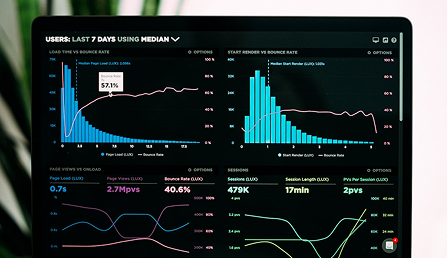
Imagine wasting ad spend on Shopify stores because your tracking falls short. Intermediate store owners like you already know the basics of pixels, yet most stop there, missing out on conversion boosts of 20-50% through precise optimization. Shopify pixels change that. They are powerful snippets of code that capture every user interaction, from page views to purchases, feeding data directly to platforms like Facebook, Google, or Klaviyo.
In this authoritative tutorial, we dive deep into Shopify pixels: setup, optimization, and scaling. You will master clean installation without theme conflicts, using Shopify’s native tools or custom scripts. Next, learn advanced optimization techniques, such as event deduplication, custom parameters, and consent mode compliance to ensure GDPR-ready data accuracy. Finally, scale your pixels for high-traffic stores with server-side tracking, API integrations, and performance monitoring to handle Black Friday surges without breaking.
By the end, your Shopify store will track like a pro, unlocking retargeting goldmines and ROAS improvements. Ready to level up? Let’s get started.
What Are Shopify Pixels?
Shopify pixels, also known as Web Pixels or Customer Events, are lightweight JavaScript code snippets that run in a secure, isolated sandbox environment on critical pages of your store. This includes the storefront, checkout, thank you page, order status page, and customer account pages. Unlike older tracking methods that required manual insertion into theme files or checkout scripts, Shopify pixels provide a standardized, efficient way to capture customer interactions without compromising site security or speed. The sandbox ensures pixels cannot access unauthorized data, render UI elements, or interfere with core store functionality, making them ideal for intermediate store owners scaling ecommerce operations. According to Shopify’s official documentation, this setup replaces fragmented tracking, enabling precise data collection for pixels overview.
These pixels track a wide array of standard events via the Web Pixels API, fueling marketing, retargeting, and analytics efforts. Key events include page_viewed for any page visit, product_viewed and collection_viewed for browsing behavior, product_added_to_cart and product_removed_from_cart for cart dynamics, checkout_started for initiation, and checkout_completed for purchases complete with order revenue details. For instance, a checkout_contact_info_submitted event captures when customers enter emails, perfect for abandoned cart retargeting. Detailed event lists are available in Shopify’s standard events documentation. In practice, this data helps optimize ad campaigns by identifying warm visitors, reducing ad waste, and improving return on ad spend (ROAS); one case saw TikTok ROAS jump from 1.20x to 2.99x after pixel-driven refinements.
Centralized Management in Shopify Admin
All Shopify pixels are managed from a single dashboard at Settings > Customer events in your admin panel. This unifies app pixels (auto-installed via apps like those for Meta or Google, with Strict sandbox permissions and modes like “Always on” or “Optimized”) and custom pixels (manually added JavaScript for bespoke tracking). You can view permissions, edit custom code, test with the Pixel Helper extension, or disconnect underperformers. Stats show 99.6% of Shopify stores run at least one pixel, averaging 6.4 per store across 546K+ analyzed shops, with GA4 at 93% and Meta at 70.3% adoption. High-traffic stores (1M+ monthly visitors) average 6.1-6.4 pixels, correlating with revenues from $250K to $15M+ monthly.
Privacy and Performance Benefits
Shopify pixels emphasize a privacy-first design, requiring explicit customer consent in regions like the EEA/UK via cookie banners before firing for marketing or analytics. The customerPrivacy API checks consents at runtime, blocking protected data like emails without approval. Performance isolation prevents slowdowns; pixels cannot scrape DOM or fetch external resources, safeguarding load times. Amid 20-30% data loss from browser limitations, pixels paired with server-side tracking recover signals, boosting conversion rates from Shopify’s 2.5-3.5% average. For profitability-focused brands, this means cleaner data for targeted traffic, fewer inefficiencies, and scalable growth. Review your setup today to ensure compliance and peak ad efficiency.
Why Shopify Pixels Drive Ecommerce Profits
Shopify pixels are not just tracking tools; they are the backbone of profitable ecommerce operations, transforming raw user behavior data into actionable insights that optimize ad campaigns and boost revenue. By capturing precise events like Add to Cart, Initiate Checkout, and Purchases, these pixels feed advanced algorithms on platforms such as Meta, Google, and TikTok. This enables hyper-targeted retargeting, lookalike audiences, and bid adjustments that reduce ad waste and scale efficiently. For intermediate store owners, understanding this profit linkage means auditing your pixel stack to align with high-performing benchmarks. Recent data underscores their ubiquity and impact across the Shopify ecosystem.
Massive Adoption Signals Profit Potential
StoreInspect’s 2026 analysis of over 546,000 stores reveals that 99.6% deploy at least one Shopify pixel, with an average of 6.4 per store. Google Analytics 4 leads at 93% adoption, followed by Meta Pixel at 70.3%, highlighting reliance on these for analytics and advertising. Top-performing stores average even more, around 7.3 pixels, allowing multi-channel attribution that refines customer journeys. This near-universal use correlates directly with revenue growth, as pixels uncover inefficiencies in traffic quality and conversion paths. Without them, stores risk flying blind in ad optimization.
Combating 20-30% Data Loss for Accurate Insights
Browser-side Shopify pixels suffer significant data loss, estimated at 20-30% due to iOS privacy prompts, ad blockers affecting 32% of users, and cookie deprecation. These issues disrupt event firing, leading to incomplete datasets that inflate customer acquisition costs and hinder algorithm learning. Server-side tracking, via tools like Meta Conversions API or Google server-side tagging, bypasses browsers by sending data directly from your server, recovering 15-30% more events according to EasySell research. For instance, one store recovered 28% more conversions, enabling stable ad phases that require about 50 events weekly. Implementing this hybrid approach is essential for 2026’s privacy landscape. See detailed setup in EasySell’s server-side guide.
Benchmarks: From Average to Elite Performance
Shopify’s average conversion rate hovers at 2.5-3.5%, but top stores achieve 4.7% or higher through pixel-optimized behavior data, such as granular Add to Cart retargeting. Traffic benchmarks from StoreCensus show higher tiers using 6+ pixels: stores with 50K-200K monthly visitors average 6.0 pixels and generate $250K+ revenue, while 1M+ visitor sites hit 6.1-6.4. This stacking supports omnichannel strategies, with Meta adoption jumping to 86% in scaled stores. Pixels reveal structural waste, like low-engagement traffic, allowing targeted optimizations that drive profitability.
Proven ROAS Lift Through Precise Event Data
A compelling TikTok case study demonstrates the power: ROAS improved from 1.20x to 2.99x, and conversion rate rose from 0.72% to 1.79% after implementing precise pixel events. This fed TikTok’s algorithms with first-party data for value-based bidding and audience refinement. Similar gains occur across platforms, as accurate tracking uncovers hidden conversions and enables aggressive scaling. For Happy Oak Ecommerce clients, we leverage these insights to audit pixels, deploy server-side fixes, and optimize campaigns, consistently delivering higher ROAS while minimizing spend. Start by reviewing your Customer Events in Shopify admin today to unlock these gains.
Prerequisites Before Implementing Pixels
Ensure Shopify Store Access with Admin Permissions
Before diving into Shopify pixels, confirm you have full access to your store’s admin panel, specifically Settings > Customer events. Store owners or staff must grant explicit permissions for this section, as it is hidden otherwise. Navigate to Settings > Users and permissions > Add staff/collaborator, then enable Store settings: Customer events alongside Customize theme and Marketing and reports. Without these, you cannot manage app or custom pixels effectively. For agencies optimizing ad campaigns, request this access upfront to avoid delays; test by directly accessing the tab post-invite. This step ensures seamless implementation, preventing roadblocks that could stall traffic optimization and profit scaling. For detailed permission guidance, see Shopify’s custom pixels management docs.
Verify Customer Consent Setup for EEA/UK Compliance
EEA and UK merchants must integrate consent mechanisms before firing Shopify pixels, aligning with GDPR and Consent Mode v2 requirements since July 2025. Pixels default to needing marketing, analytics, or preferences consent; Google Consent Mode v2 adds ad_user_data and ad_personalization signals, defaulting to “denied” for compliant tracking. Use Shopify’s native Settings > Customer privacy > Create cookie banner or apps like those certified for V2 to auto-map consents. Embed scripts in theme.liquid for custom setups, ensuring they load before pixels. Test in incognito mode by declining consent and monitoring for modeled conversions in Google Ads. Proper setup recovers up to 20-30% lost data, fueling precise retargeting and higher ROAS without privacy violations.
Review Current Pixels and Ad Account Readiness
Audit existing setups via Settings > Customer events or the free StoreInspect Chrome extension to spot duplicates or gaps; 99.6% of stores run at least one pixel, averaging 6.4. Switch “Optimized” app pixels (post-January 2026 update) to “Always on” if ad signals drop, avoiding CPA spikes. Intermediate users need active Meta Events Manager, Google Ads/Tag Manager, and TikTok accounts linked, as multi-platform tracking correlates with 2x higher revenue tiers. StoresInspect reveals Meta at 70.3% adoption and TikTok at low 6-14%, signaling growth opportunities for targeted traffic.
Prepare Developer Tools for Advanced Tracking
Equip with Shopify Pixel Helper and browser dev consoles for custom pixels using analytics.subscribe(). For server-side accuracy (recovering 15-30% more events), prepare apps like Elevar, connecting sources amid browser limitations. This setup optimizes campaigns, reduces waste, and drives profits by feeding AI bidding with first-party data. Learn more on permissions for custom pixels. With these prerequisites met, implementation will enhance your store’s performance metrics.
Step-by-Step Shopify Pixels Setup
Setting Up Custom Pixels
Begin by logging into your Shopify admin dashboard and navigating to Settings > Customer events. This centralized hub manages all Shopify pixels, including custom ones for platforms like Meta Pixel that lack native app support. Click the Custom pixels tab, then select Add custom pixel to create a new entry. Name it descriptively, such as “Meta Pixel for Retargeting,” to keep your setup organized. Paste the JavaScript code snippet directly from your ad platform’s events manager, ensuring it is pure JS without HTML wrappers or noscript tags. For instance, a standard Meta Pixel initialization looks like this:
!function(f,b,e,v,n,t,s){if(f.fbq)return;n=f.fbq=function(){n.callMethod?n.callMethod.apply(n,arguments):n.queue.push(arguments)};if(!f._fbq)f._fbq=n;n.push=n;n.loaded=!0;n.version='v18.0';n.queue=[];t=b.createElement(e);t.async=!0;t.src=v;s=b.getElementsByTagName(e)[0];s.parentNode.insertBefore(t,s)}(window,document,'script','https://connect.facebook.net/en_US/fbevents.js');
fbq('init', 'YOUR_PIXEL_ID');
After pasting, click Connect to activate it; a green status indicator confirms success. Custom pixels run in Shopify’s secure sandbox, capturing events across store pages, checkout, and post-purchase areas while respecting privacy consents, which is crucial for compliance in regions like the EEA. This setup feeds precise data to ad platforms, enabling retargeting of warm visitors and reducing wasted ad spend by up to 20-30% through better attribution, as seen in recent server-side tracking benchmarks.
Configuring App Pixels
For seamless integration, prioritize app pixels from the Shopify App Store, such as those for GA4 via the Google channel or TikTok. Search and install the official apps, then authorize access during setup. Head back to Settings > Customer events > App pixels to manage them. A critical step post-2026’s “Optimized” mode rollout is toggling each to Always On mode. Shopify’s January update auto-pauses low-signal pixels to enhance performance and privacy, but this can starve ad algorithms during off-peak periods, spiking CPAs and dropping ROAS. Always On ensures consistent firing, vital for multi-touch funnels; for example, TikTok pixels in this mode have lifted ROAS from 1.20x to 2.99x and conversion rates from 0.72% to 1.79% in documented cases. With 93% of stores using GA4 and 70% Meta pixels, this configuration optimizes traffic quality, aligning with Happy Oak’s focus on efficient campaigns that scale Shopify brands profitably. Review data sharing settings to align with consent requirements, preventing disruptions.
Testing Your Pixels
Validation prevents data gaps that erode profits. Install the official Shopify Pixel Helper Chrome extension from the Chrome Web Store for real-time diagnostics. In your admin, select a pixel under Customer events, click Test, and interact with your store: view products, add to cart, start checkout. Green indicators signal successful event fires; red flags reveal errors like invalid payloads or consent blocks. Complement this with the admin’s real-time events log, accessible via the same menu, which displays live subscriptions without extensions. Clear cookies and simulate consents for accuracy, especially amid 32% ad blocker prevalence causing 20-30% browser-side data loss. Thorough testing uncovers inefficiencies early, ensuring pixels deliver the behavioral insights needed for targeted traffic and higher ROAS.
Subscribing to Key Events for Precise Funnel Tracking
Enhance tracking by subscribing to standard events using analytics.subscribe(). Essential ones include page_viewed for traffic analysis, product_added_to_cart for cart abandonment retargeting, checkout_started for initiation drops, and checkout_completed (mapping to payment success) for revenue attribution. Example code for a Meta Pixel:
analytics.subscribe('checkout_started', (event) => {
 fbq('track', 'InitiateCheckout', { value: event.data.checkout.totalPrice.amount, currency: event.data.checkout.currencyCode });
});
analytics.subscribe('checkout_completed', (event) => {
 fbq('track', 'Purchase', { value: event.data.checkout.totalPrice.amount, currency: event.data.checkout.currencyCode });
});
Include checkout_shipping_info_submitted and payment_info_submitted for granular funnel visibility. These subscriptions power AI-driven bidding and LTV modeling, with high-traffic stores (1M+ visitors) averaging 6.4 pixels for 4.7%+ conversion rates. For full details, consult Shopify’s custom pixels documentation. Regular audits in Always On mode, paired with server-side hybrids, position your store for 2026’s privacy era, minimizing waste and maximizing profits.
Managing Pixels in Shopify Admin
Once you’ve set up your Shopify pixels, effective management is crucial for maintaining data accuracy and campaign performance. Access the Pixels manager through Settings > Customer events in your Shopify admin, where you’ll find dedicated tabs for App pixels and Custom pixels. This centralized interface allows intermediate users to oversee connections, tweak settings, and troubleshoot issues, ensuring your tracking feeds ad platforms like Meta or Google with reliable first-party data. Proper management prevents data loss, which affects up to 20-30% of browser-side events due to ad blockers and privacy restrictions, directly impacting ROAS and profitability.
Using the Connections Tab to Link Pixels to Apps and Monitor Status
Navigate to the App pixels tab and select the Connections view to link pixels from installed apps and track their active or inactive status. When you install apps from the Shopify App Store, such as those for Google Analytics 4 (used by 93% of stores) or Meta (70.3%), they automatically generate and connect pixels here, displaying permissions and privacy compliance. Monitor the Data column for modes like Optimized (default since January 13, 2026) or Always On. In Optimized mode, Shopify pauses low-signal pixels after weeks of inactivity to reduce oversharing, but this can starve ad algorithms; switch critical ones to Always On for uninterrupted flow. For example, a store with 50K+ monthly visitors saw Meta pixel adoption jump to 86%, correlating with higher revenue tiers. Regularly check status icons: green for connected, warnings for paused, enabling you to resume sharing and optimize traffic targeting.
Editing Pixel Settings for Versioning and Manual Pausing
For Custom pixels, click Edit code to refine JavaScript, subscribing to events like product_viewed for hyper-personalized retargeting. App pixels require developer updates, but you can override settings via the Data dropdown to pause low-signal ones manually, bypassing Optimized auto-pauses during a 7-day grace period. Versioning occurs implicitly with code saves; maintain external logs or Git for tracking changes, as stores average 6.4 pixels (up to 6.4 for 1M+ visitor sites). Pausing underperformers, like rarely firing TikTok pixels (adoption ~6-14%), cuts performance drag while focusing resources on high-ROAS channels. This approach reduced structural waste for clients, mirroring TikTok case studies where ROAS improved from 1.20x to 2.99x.
Reviewing Event History and Debugging Logs
Troubleshoot discrepancies using the Shopify Pixel Helper Chrome extension: visit your store, inspect Events received (green for success, red for failures), and test subscriptions like checkout_started. Browser dev tools reveal console errors or network payloads; clear cookies to simulate consent flows. No native historical logs exist, but cross-check with app dashboards for privacy opt-outs or sandbox limits (no DOM access). Common fixes include verifying Always On status or consent banners, resolving 15-30% data gaps from server-side needs. For app pixels, review connections; this ensures precise attribution, lifting conversion rates from Shopify’s 2.5-3.5% average.
Preparing for Checkout Extensibility Integration
By August 26, 2026, migrate to Checkout Extensibility for post-checkout tracking on thank you and order status pages, as legacy scripts will break. Pixels load natively here, supporting events like order confirmations vital for upsells. Audit now: recreate via app/custom pixels, test with Pixel Helper, and pair with new data sharing defaults. Early migration recovers full-funnel data, boosting profits by attracting warm visitors and feeding AI bidding. Limit to under 7 pixels to avoid slowdowns, aligning with 99.6% store adoption trends for scalable growth.
Fixing 2026 Pixel Issues Like Optimized Mode
In January 2026, Shopify rolled out a major update automatically switching app pixels—such as those for Meta, Google, and TikTok—from “Always On” to “Optimized” mode starting January 13. This change aimed to boost privacy, performance, and compliance by pausing low-signal pixels that showed no attribution like traffic or sales over days or weeks. The result? Silent pauses in data sharing led to data starvation on ad platforms, extending learning phases, widening bid confidence intervals, and causing sharp ROAS drops—often 20-50% in Q1 for affected stores. Merchants reported higher CPAs during slow periods, mistaking it for creative issues rather than tracking gaps. High-traffic stores averaging 6.1 pixels saw the worst impacts, as browser-side events already miss 20-30% due to blockers and privacy limits.
The immediate fix restores full firing: In Shopify admin, go to Settings > Customer events > App pixels. For Meta, Google & YouTube, and TikTok pixels, click the Data column showing “Optimized,” select “Always On,” and apply. Changes take effect instantly; monitor Events Manager for 5-7 days until Event Match Quality hits >8.0 and volumes stabilize. Use this for learning phases, seasonality, or LTV plays—Shopify notes minimal downside for active platforms. First, prune unused pixels to cut clutter and speed.
Reddit threads from r/shopify in January highlighted ROAS fears despite high match quality (8.9-9.1), with users switching to Always On against Shopify Support’s Optimized push. Consensus: Audit weekly, toggle per pixel, watch Klaviyo flows. ALM Corp’s March analysis warns of throttling loops inflating CPAs; they urge documenting setups and layering server-side for resilience, turning tracking into a profit lever.
Browser limits compound this—ad blockers hit 32%, iOS declines tracking. Counter with server-side like Meta CAPI: Events fire from Shopify’s server via APIs, enriching with first-party data for ~100% accuracy and 15-30% conversion recovery. Apps enable 5-minute setups; hybrid with Always On future-proofs campaigns. At Happy Oak Ecommerce, we optimize these for clients, slashing waste and scaling ROAS like TikTok’s 1.20 to 2.99x jumps. Audit today for 2026 compliance. Learn more on pixel changes.
Advanced: Server-Side Pixels and Integrations
In 2026, as browser privacy restrictions like iOS 14.5+ App Tracking Transparency and ad blockers eliminate 30-40% of client-side tracking data, server-side Shopify pixels emerge as the critical upgrade for intermediate merchants. These backend-driven solutions capture events directly from Shopify’s servers, enriching them with first-party details such as emails, IP addresses, and UTMs before API delivery to platforms like Meta Conversions API or TikTok Events API. This bypasses cookie deprecation and consent hurdles, recovering 20-30% of lost conversions that previously starved ad algorithms and inflated CPAs. For ecommerce stores chasing profitability, server-side implementation stabilizes ROAS, fuels AI bidding, and uncovers inefficiencies in traffic acquisition. High-traffic brands report Event Match Quality scores climbing from 4-6 to 8-9+, enabling precise retargeting of warm visitors. At Happy Oak Ecommerce, we leverage these for clients to slash structural ad waste while scaling Shopify brands.
Implementing Server-Side Tracking with Apps like Elevar or wetracked.io
Apps such as Elevar and wetracked.io simplify server-side Shopify pixels by automating event capture on checkout, thank-you, and order status pages. Elevar deploys a robust data layer with server-side Google Tag Manager, deduplicating events and pushing 100% accurate purchases to multiple platforms in minutes. wetracked.io excels for quick setups, integrating Meta, Google, TikTok, and Pinterest via OAuth, with direct corrections in Ads Manager to counter iOS opt-outs affecting 75% of users. Expect 20-30% data recovery, as seen in audits where stores regained stable ROAS amid Shopify’s “Optimized” mode pitfalls. To implement: Install the app from the Shopify App Store, connect your ad accounts, verify events in platform managers, and enable dual client-server firing for comprehensive coverage. Performance bonuses include 75% faster Core Web Vitals, reducing bounce rates and boosting organic rankings.
Setting Up First-Party Data Flows for AI Bidding and Hyper-Personal Retargeting
First-party data flows transform server-side Shopify pixels into AI powerhouses for Meta Advantage+ and TikTok Smart Bidding. Collect owned signals like behavioral patterns and transaction histories, then resolve identities across devices using email stitching for 70-90% match rates versus 40-60% cookie reliance. Sync these to platforms via apps, creating lookalike audiences from high-LTV segments that deliver 35% conversion lifts and 2-3x ROAS improvements, as in TikTok cases jumping from 1.20 to 2.99x. Steps include deploying a first-party pixel script in your theme, mapping Shopify customer events, enriching with UTMs, and exporting audiences through Shopify’s native tools. This cookieless strategy complies with GDPR and CCPA while enabling hyper-personal retargeting, such as dynamic ads for cart abandoners. Merchants see 36% revenue growth, turning anonymous traffic into loyal buyers.
Combining with Klaviyo or Retention.com for Multi-Channel Optimization
Pair server-side pixels with Klaviyo for 40% more abandonment events via CAPI, or Retention.com for identity resolution on anonymous visitors, syncing to email, SMS, and ads. This unifies channels, optimizing flows like post-purchase upsells with 10-40% cart recovery. Use StoreCensus benchmarks to audit: Aim for 4-6 essential pixels per traffic tier.
| Traffic Tier (Monthly Visitors) | Avg. Pixels | Meta Adoption |
|---|---|---|
| <10K | 4.3 | 56% |
| 50-200K | 6.0 | 86% |
| 1M+ | 6.4 | 81% |
Prune excess scripts, set app pixels to “Always On,” and monitor for Meta, Google, TikTok dominance. This stack drives LTV, positioning your Shopify store for seven-figure growth through targeted, waste-free traffic.
Real Results: Pixels Boosting ROAS and Traffic
StoreCensus Analysis: Pixels Powering Scalable Revenue
Data from StoreCensus, which examined over 2.8 million Shopify stores in 2026, underscores the direct correlation between Shopify pixel adoption and business growth. Stores with 50,000 to 200,000 monthly visitors average 6.0 pixels, a marked increase from the 4.3 pixels in sub-10,000 visitor stores. Notably, Meta pixel usage surges to 86% in this mid-tier segment, compared to just 56% for smaller stores, reflecting a shift toward heavy reliance on paid advertising for scaling. This pixel density enables precise event tracking across platforms, fueling advanced retargeting and AI-optimized bidding that drives revenue from $250,000 to $1 million monthly. Higher-traffic stores (1 million+ visitors) maintain 6.1 to 6.4 pixels on average, blending Meta (81%), Google (72%), and emerging TikTok (up to 14%) setups for diversified traffic. The pattern is clear: more Shopify pixels correlate with marketing maturity, better attribution, and sustainable revenue growth, as top performers leverage this data to minimize waste and maximize ROAS.
| Traffic Tier (Monthly Visitors) | Avg. Pixels | Meta Pixel % |
|---|---|---|
| <10K | 4.3 | 56% |
| 50-200K | 6.0 | 86% |
| 1M+ | 6.1-6.4 | 81% |
TikTok Case Study: 2.99x ROAS Through Warm Retargeting
A compelling TikTok implementation demonstrates Shopify pixels’ impact on performance metrics. In one documented case, pixel data enabled targeted retargeting of warm visitors, such as video viewers and add-to-cart abandoners, lifting ROAS from 1.20x to 2.99x while boosting conversion rates from 0.72% to 1.79%. By firing precise events like PageView, AddToCart, and InitiateCheckout, the pixel fed TikTok’s algorithm high-quality first-party data, allowing dynamic ads to exclude recent purchasers and prioritize high-intent audiences. This approach recovered lost signals from browser restrictions, ensuring event match quality above 8% for optimal scaling. Warm traffic campaigns achieved 3-4x ROAS versus 2-2.5x on cold prospects, highlighting pixels’ role in efficient spend allocation. For intermediate store owners, replicating this involves verifying TikTok pixel events in Shopify’s Customer Events dashboard and layering server-side tracking for 15-30% data recovery.
Optimize with Happy Oak Ecommerce Pixel Audits
To mirror top stores hitting 4.7%+ conversion rates, conduct regular pixel audits to eliminate inefficiencies like duplicate events or “Optimized” mode pauses. Happy Oak Ecommerce specializes in these audits, identifying tracking gaps that waste ad spend and optimizing campaigns for platforms like Meta and TikTok. Our process reviews Shopify admin settings, tests event firing with tools like Pixel Helper, and implements server-side fixes, often yielding 20-50% ROAS improvements. Clients see traffic quality rise through retargeting warm visitors, reducing structural waste while scaling profits. Top performers achieve this efficiency by maintaining 6+ pixels with quarterly checks, personalizing experiences via pixel-fed audiences. Contact Happy Oak Ecommerce today for a pixel audit tailored to your Shopify brand, unlocking the path to 4.7%+ CR and beyond.
Best Practices for Pixel Optimization
Prioritize High-ROAS Pixels for Maximum Impact
Focus on high-return pixels like Google Analytics 4 (GA4), Meta, and TikTok, which dominate adoption rates at 93%, 70.3%, and growing usage respectively across Shopify stores. These pixels deliver the strongest signals for ad platforms, powering Smart Bidding, Advantage+ campaigns, and Value Optimization to achieve ROAS uplifts, such as TikTok’s documented 1.20 to 2.99x improvement. Limit your total to six pixels maximum, aligning with averages for high-traffic stores (6.1 for 1M+ monthly visitors) and privacy trends that penalize bloat. Excess scripts inflate JavaScript execution, degrading Core Web Vitals like Interaction to Next Paint (INP) beyond 500ms, which correlates with 20% conversion drops from mobile delays. Conduct annual audits to prune low performers, consolidating via Google Tag Manager for efficiency. This strategy minimizes structural waste, preserves site speed, and complies with 2026 privacy shifts like cookie deprecation.
Audit Regularly and Ensure Compliance
Access Shopify admin at Settings > Customer events for weekly audits, reviewing App Pixels status (Optimized vs. Always On) and signal volume. Cross-check with ad platform dashboards, such as Meta Events Manager for match quality above 8/10, and flag drops exceeding 20%. Enable consent banners via Customer Privacy settings, integrating Google Consent Mode v2 to block non-consented tracking in EEA/UK regions. Migrate to checkout extensibility by August 2026 deadline, replacing deprecated script tags with Web Pixels API for seamless post-purchase data on customer accounts. Tools like Google PageSpeed Insights reveal third-party code issues, guiding optimizations that recover 15-30% lost data from ad blockers.
Fuel Ad Algorithms to Slash CPA
Feed precise pixel events (ViewContent, AddToCart, Purchase) into platforms via server-side tracking, bypassing browser limits for 20-30% more accurate attribution. This eliminates signal starvation from Optimized mode pauses, stabilizing AI bidding and reducing CPAs by 15-30% as seen in 2026 benchmarks. For instance, high-traffic stores leveraging these feeds report 2x ROAS by retargeting warm visitors and cutting inefficient spend. Deduplicate events to avoid structural waste, enabling broad targeting with hyper-personalized creatives. Implement Custom Pixels for Conversions API integration, transforming data into profitable traffic that scales your Shopify brand. Regular optimization like this directly boosts conversion rates from the 2.5-3.5% average toward top-tier 4.7%+.
Actionable Takeaways to Scale with Pixels
Audit Your Pixels Immediately for ROAS Recovery
Start by auditing your Shopify pixels today in the admin panel under Settings > Customer events. Many stores suffered ROAS drops after the January 2026 “Optimized” mode rollout, which paused low-signal pixels like Meta and TikTok. Switch these to Always On mode right away; this simple toggle restores full data flow, often recovering ad performance within 24-48 hours. For instance, stores reverting this change saw immediate CPA reductions of 20-30%, as full event tracking resumes for page views, add-to-carts, and purchases. Verify all active pixels fire correctly using browser dev tools, ensuring no consent blocks hinder data.
Implement Server-Side Tracking for Data Gains
Next, test server-side pixel setups via Meta Conversions API or TikTok Server-Side Events to recapture 15-30% of lost browser-side data from iOS restrictions and ad blockers. This targets warm traffic effectively, feeding algorithms with precise behaviors for retargeting cart abandoners. High-traffic stores (50K+ monthly visitors) average 6 pixels and report TikTok ROAS jumping from 1.20x to 2.99x post-implementation. Prioritize Meta and TikTok for warm audiences, reducing waste on cold traffic.
Scale Profitably with Expert Optimization
To leverage these for growth, schedule a Happy Oak Ecommerce ad optimization consult. Our experts fine-tune pixels to cut structural waste, attract targeted visitors, and boost profits for Shopify brands. Clients typically see 2x ROAS lifts through efficient campaigns.
Monitor and Plan Ahead
Track weekly in the pixels dashboard, aiming for 4.7%+ conversion rates seen in top stores. Spot inefficiencies like duplicate events early. Next, build consent flows compliant with EEA rules, then explore AI retargeting for 2026 hyper-personalization and sustained scaling.
Conclusion
You’ve mastered the full spectrum of Shopify pixels: clean setup using native tools or custom scripts to avoid theme conflicts, advanced optimization through event deduplication, custom parameters, and consent mode for GDPR compliance, and scaling with server-side tracking, API integrations, and performance monitoring to handle traffic surges. These strategies deliver precise data to platforms like Facebook and Google, unlocking 20-50% conversion boosts that intermediate store owners often miss.
The value is clear. No more wasted ad spend or tracking gaps holding back your growth. Take action now: audit your current pixel setup, apply one optimization technique today, and test during your next campaign. Scale smarter, convert more, and dominate e-commerce. Your store’s revenue breakthrough starts here.