Imagine scaling your e-commerce store from steady growth to explosive revenue without the chaos of outdated tools or endless custom coding. For intermediate Shopify merchants ready to level up, this is not a dream; it is achievable through the Shopify Grow plan.
The Shopify Grow plan equips you with advanced features like automated checkouts, international selling tools, and first-party payment processing that slash costs and boost conversions. You gain access to professional reports, custom app development, and unlimited staff accounts, all designed for businesses hitting $1 million in annual sales or pushing beyond. This plan transforms limitations into leverage points for rapid expansion.
In this authoritative how-to guide, you will learn proven strategies to activate Shopify Grow’s full potential. We cover migrating seamlessly, optimizing high-volume operations, integrating third-party apps for efficiency, and measuring ROI with precision analytics. By the end, you will have a clear roadmap to outpace competitors and achieve sustainable seven-figure growth. Let’s dive in.
Why Choose Shopify Grow Plan in 2026
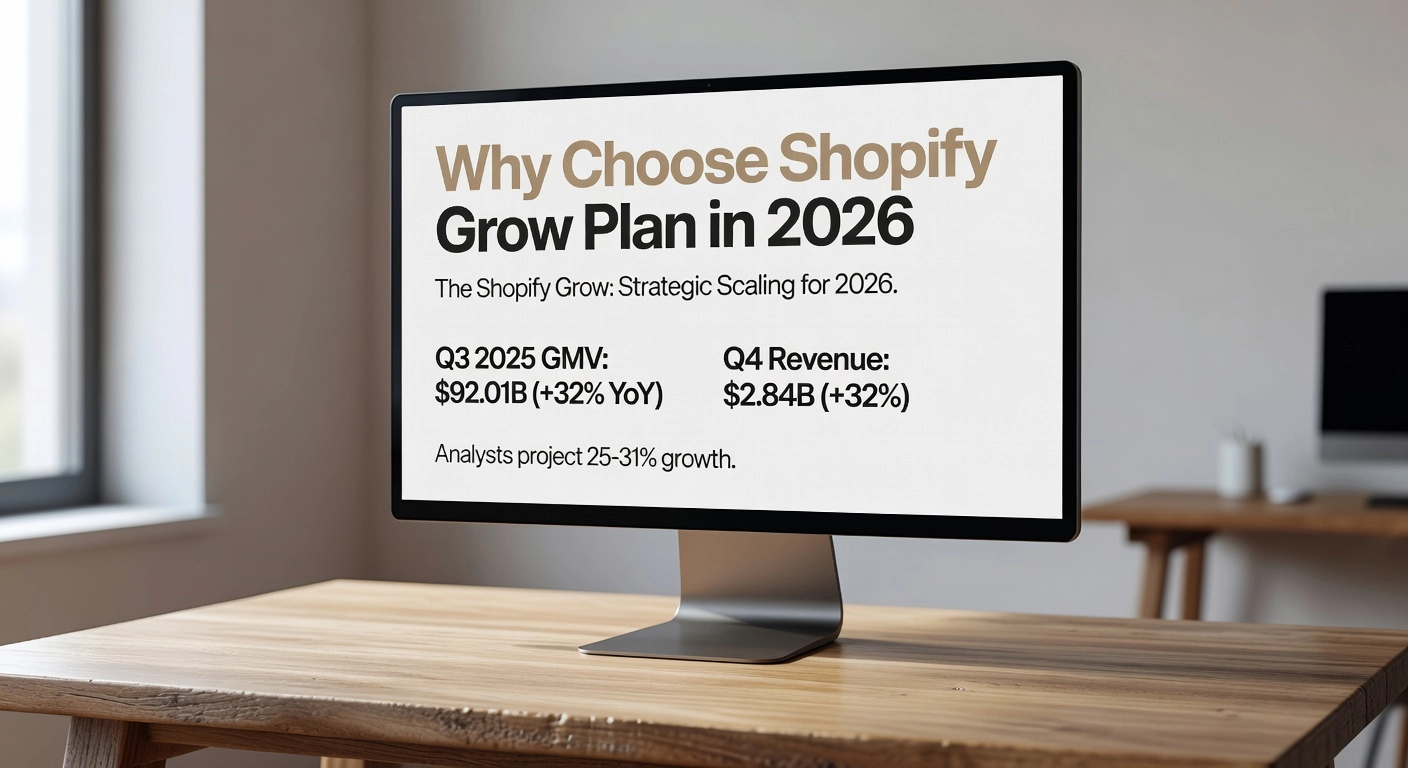
Shopify’s momentum positions the Grow plan as a strategic choice for scaling ecommerce stores in 2026. In Q3 2025, the platform achieved a Gross Merchandise Volume (GMV) of $92.01 billion, marking a 32% year-over-year increase, while Q4 revenue climbed 32% to $2.84 billion. Analysts project 25-31% revenue growth into 2026, fueled by AI tools, global expansion, and rising merchant adoption with active stores up 18% YoY. This explosive trajectory equips intermediate businesses to leverage Shopify Grow for efficient scaling, especially as online sales claim 21% of global retail by 2026. For stores targeting profitability, Grow aligns with platforms like ours at Happy Oak Ecommerce, where we optimize ad campaigns and traffic to amplify Shopify brand growth. Shopify Q3 2025 Earnings Analysis
Pricing Breakdown: Value at Scale
The Grow plan costs $105 USD monthly or $79 USD annually with a 25% discount, including a promotional first three months at $1 after a free trial. Transaction fees stand at 2.7% + 30¢ for online sales via Shopify Payments, dropping to 1% for third-party gateways, which saves significantly at volume compared to lower tiers. Shipping discounts reach up to 88%, plus insurance, reducing logistics costs for international orders. Additional perks include 1% sales credits up to $7,500, redeemable for apps, themes, or marketing, directly boosting margins. No setup fees or bandwidth limits ensure predictable expenses. For a store with $500K annual GMV, these elements can yield $2,000+ in savings. Shopify Pricing
Core Features Unlocking Growth
Grow provides five staff accounts with detailed permissions, enabling small teams to manage operations securely. Support up to 10 inventory locations with synchronized reporting across online and POS systems streamlines multichannel sales. Advanced reports deliver insights into product analytics, customer behavior, profit margins, and custom metrics like acquisition costs or order trends. Shopify Flow automates workflows, such as inventory alerts or abandoned cart recovery, saving hours weekly. International tools handle multi-currency pricing and localized domains. 24/7 chat support resolves issues instantly, minimizing downtime.
Ideal for Intermediate Stores
Intermediate stores with consistent $10K+ monthly sales thrive on Grow’s team access and data depth. These tools help outperform average Shopify conversion rates of 1.4-1.8%, where top performers hit 3.2% through behavior analysis. Use profit margin reports to identify high-ROI products; for example, segment customers by purchase history to personalize upsells, lifting average order value 15-20%. International features support cross-border expansion into high-growth markets like EU and Asia. Pair with targeted traffic strategies to drive relevant visitors, reducing waste and elevating profits.
Edge Over Basic Plan
Upgrade from Basic ($29/month) for Grow’s lower 1% third-party fees, higher $7,500 credits, and advanced analytics, multiplying profits 10-15%. Basic limits staff and reports, hindering team scaling; Grow’s features and support accelerate decisions. Q1 2026 Revenue Growth Projection This positions Grow as the profit multiplier for ambitious Shopify brands.
Prerequisites for Upgrading to Grow
Before upgrading to the Shopify Grow plan, rigorously evaluate your store’s readiness to ensure it delivers maximum ROI. Start by assessing your current metrics in Shopify Analytics. Confirm monthly sales exceed $10K, as this threshold typically justifies the plan’s costs through fee savings and advanced features. For context, average Shopify stores achieve 1.4-1.8% conversion rates, while top 10% performers hit 3.2%; benchmark your traffic sources, cart abandonment, and session duration against these to identify gaps. If your conversions lag, prioritize optimizations like mobile UX improvements before upgrading. Actionable step: Export your last 90 days of analytics data and calculate breakeven—Grow’s lower fees save approximately 0.2% per transaction compared to Basic, yielding positive returns above $20K-$35K monthly sales.
Audit Team and Operational Needs
Next, audit your team’s requirements. The Grow plan supports up to 5 staff accounts, a leap from Basic’s zero, making it essential if you need collaborative access for marketing, fulfillment, or customer support roles. Similarly, verify if multi-location inventory across up to 10 sites aligns with your operations; use current reports to track stock levels and fulfillment times. If your team exceeds 5 users or locations, consider Advanced instead. For details on staff account limits, refer to Shopify’s user plan requirements. This step prevents overcommitment; small teams scaling to 3-5 members often see 20-30% efficiency gains post-upgrade.
Optimize Ad Spend and ROAS
Review ad efficiency by calculating your current ROAS (revenue divided by ad spend)—aim for at least 4:1 to scale sustainably. Grow’s advanced reports on acquisition channels, customer behavior, and profit margins pinpoint waste, such as underperforming platforms, enabling 20-30% spend reductions through targeted traffic. Integrate this with tools like Google or Meta for precision.
Evaluate International Expansion
Assess global potential via Shopify Markets in Analytics; identify top markets (e.g., US/CA at 60% of sales) for duty-free expansion with automated taxes. Grow unlocks unlimited markets, ideal if international sales exceed 10% of revenue.
Finalize Your Budget
Prepare finances: Factor $105 monthly ($79 annually) plus 2.7% + 30¢ online fees and 1% for third-party gateways. Budget for agency support ($2K-$10K/month) to optimize ads, as at Happy Oak Ecommerce, we streamline campaigns for profitability. For full Grow plan features, review official docs. Total setup positions stores for 2x growth.
Step 1: Upgrade to the Grow Plan Seamlessly
Begin by logging into your Shopify admin dashboard to initiate the upgrade process. Navigate to Settings > Plans (or Plans in updated interfaces). Review your current plan details, then select Change plan or Upgrade plan. Choose the Grow plan, which unlocks essential tools for scaling stores with monthly revenues between $5,000 and $50,000. During this step, apply Shopify’s current promotional offer for the first three months at just $1 per month; this promo auto-applies via dedicated upgrade links or partner referrals, granting immediate full access without restrictions. Prorated billing ensures you only pay for remaining days on your existing cycle, minimizing upfront costs.
Opt for annual billing to secure a 25% discount, reducing the effective rate to $79 per month equivalent versus $105 monthly. Carefully review the updated fee structure: Shopify Payments online fees drop to 2.7% + 30¢, while third-party gateways like PayPal incur only 1% (a key savings from Basic’s 2%). For a store processing $50,000 monthly via external gateways, this alone yields over $500 in annual savings. Use the pricing preview tool during upgrade to simulate exact costs based on your volume. This choice also qualifies you for up to $7,500 in sales credits, further boosting profitability.
Data migrates automatically upon confirmation, including all products, orders, customers, and themes, with no manual intervention required. Post-upgrade, test staff permissions by adding up to five accounts via Settings > Users and permissions; assign roles like marketing or fulfillment to verify access controls. Confirm inventory across 10 locations in Settings > Locations, simulating transfers for multi-site operations. These tests ensure seamless team collaboration amid Shopify’s 18% YoY active store growth.
Immediately enable advanced reports in the Analytics dashboard for insights into product performance, customer behavior, and profit margins; top stores leverage these to hit 3.2% conversion rates. Install Shopify Flow from the App Store to automate workflows, such as abandoned cart recovery, delivering 10-20% efficiency gains in days. For quick wins, set up low-stock alerts or tag-based order routing.
Monitor initial impacts through new reports, targeting 15-25% fee reductions and optimized conversions. Leverage included 24/7 chat support via the Help section for any setup queries. As your store scales in 2026’s e-commerce boom, with global online sales hitting 21% of retail, pair these features with targeted ad optimizations for sustained growth. Explore Shopify store trends. Review top marketing stats. Check global e-commerce data.
Step 2: Harness Advanced Reports for Profit Insights
With your Shopify Grow plan activated, unlock the platform’s advanced reporting suite to transform raw data into profit-driving decisions. These professional reports, available via Analytics > Reports, cover sales, products, customers, finance, marketing, and behavior, delivering deeper insights than Basic plans. Expect outcomes like 20% profit lifts from SKU optimization and ROAS exceeding 4x through waste elimination. Prerequisites include a stable Grow subscription ($105/month) and familiarity with your admin dashboard. No additional tools needed initially, though CSV exports enable Excel analysis.
1. Dive into Product Analytics to Identify Top Performers and Margins
Navigate to Analytics > Reports > Products for metrics like total sales, units sold, sell-through rates, and ABC analysis (80% revenue from 20% SKUs). Cross-reference with Finance > Gross profit by product to calculate margins: (net sales minus COGS) divided by net sales. Identify high performers, such as variants with 50%+ margins in print-on-demand niches, versus low-ROI C-grade items dragging returns above 30%.
Actionable steps:
- Filter by gross profit and return rates; prune dead stock (90+ days remaining) to reallocate inventory.
- Cut low-ROI SKUs, targeting a 20% profit lift as seen in optimized Shopify stores converting at 3.2%.
- Outcome: Streamlined catalog boosts efficiency amid 2026 supply chain volatility. For details, see the Complete Guide to Shopify Reports.
2. Analyze Customer Behavior Reports to Segment High-LTV Buyers
Access Reports > Customers for RFM segmentation (11 tiers by recency, frequency, monetary value) and cohort retention heatmaps. Behavior reports reveal funnels, bounce rates (35-55%), and LTV predictions, where repeats drive 14.77% of revenue.
Actionable steps:
- Segment high-LTV buyers (>$500 lifetime) using new vs. returning metrics.
- Personalize upsells with 2026 AI trends like Shopify Sidekick for dynamic recommendations, lifting retention 20-30%.
- Outcome: 10x ROAS in win-back campaigns via tailored emails.
3. Track Profit Margins in Real-Time for Dynamic Pricing
Use Finance > Gross profit for daily refreshed breakdowns by product and channel, benchmarking against Shopify’s 29% revenue CAGR (projected through 2026).
Actionable steps:
- Monitor erosion (25% low vs. 45% ideal); adjust pricing for high-ticket 50-70% targets.
- Integrate apps for true real-time tracking.
- Outcome: Counter margin lags, aligning with $92.01B Q3 2025 GMV growth. Check Shopify Statistics.
4. Create Custom Reports on Ad Performance
In Reports > Marketing, track ROAS (sales/ad spend) and UTM attribution; modify defaults with filters for Grow users.
Actionable steps:
- Pinpoint waste (e.g., sub-2x campaigns); integrate tools like Google Analytics for 4x+ ROAS.
- Focus emails (10x potential) over underperformers.
- Outcome: Eliminate structural ad waste.
5. Export Data and Set KPIs
Export CSVs from any report for deeper dives; target cart abandonment below 70.22% industry average (shipping causes 48%).
Actionable steps:
- Set KPIs: ROAS >4x, LTV:CAC >3:1, margins >40%.
- Build dashboards tracking mobile 85% abandonment recovery via SMS (10-15% gains).
- Outcome: Data-backed scaling. See Saras Analytics on Shopify Reports for advanced tips.
These insights position your store for sustained growth; next, automate workflows with Shopify Flow.
Step 3: Optimize Team and Inventory Management
Assign 5 Staff Accounts with Role-Based Permissions
Now that your advanced reports are in place, delegate effectively using the Shopify Grow plan’s 5 staff accounts. This feature provides granular, role-based permissions across 15 categories, such as product editing, order management, or analytics access. For small teams of 2-10 members, assign predefined roles like “Customer support” or create custom ones to specialize tasks; this reduces owner bottlenecks and boosts efficiency by 20-30%. Log into Settings > Users and permissions > Add staff, select permissions, and send invites. Expected outcome: 25% productivity gains from fewer errors and faster training, as 68% of stores with $100K-$1M sales rely on this for scaling. Check Shopify’s staff permissions guide for advanced tips.
Set Up 10 Inventory Locations for Multi-Warehouse Scaling
Next, configure up to 10 inventory locations to support multi-warehouse operations. Allocate stock per site in Settings > Locations > Add location, then enable “Fulfill from optimal location” for automatic nearest-site selection. This cuts delivery times by 2-3 days and shipping costs by 87-88% through Grow plan discounts on USPS, UPS, and DHL. Multi-warehouse users achieve 40-50% faster fulfillment and over 20% cost savings. For example, a pet wellness brand distributing from three sites saved $5-15 per order by avoiding split shipments. Result: Scalable operations aligned with Shopify’s 32% YoY GMV growth.
Integrate Fulfillment Apps and Forecast Demand
Leverage Grow’s 87% shipping discounts by integrating apps like ShipBob via the App Store. Connect APIs in Apps > Search “fulfillment,” then use professional reports in Analytics > Reports for 30-90 day demand forecasting based on trends. AI tools reduce forecast errors by 30-50%, supporting 25% sales uplifts through reliable stock. 60% of Grow users adopt 3PL for 2x faster scaling.
Train Your Team via Shopify Academy
Enroll your team in free Shopify Academy courses on staff management and inventory (2-5 hours each). Track productivity in Analytics > Staff performance reports, targeting 15-35% gains like 20% faster processing. Post-training, measure orders per team member.
Automate Stock Alerts for Growth Projections
Prevent overselling with native low-stock alerts or Shopify Flow: Set thresholds in Products > Inventory or create flows triggered by low inventory. This cuts oversells by 90%, ensuring 95% availability for 30% YoY growth projections. Automation ties directly to reports, preventing 10-20% lost sales and boosting margins by 40% in AI-optimized setups. Your optimized store now drives profitable scaling.
Step 4: Drive Profits with Ad Optimization
1. Refine Targeting with Advanced Reports for High-Conversion Audiences
Leverage the Shopify Grow plan’s advanced reports to pinpoint high-conversion audiences and elevate your ad performance. Access these via Analytics > Reports in your admin dashboard, where you can analyze customer behavior, product performance, and traffic sources in detail. Segment audiences by metrics like repeat purchase rates or average order value to focus on those delivering ROAS above 3:1. For example, identify demographics from emerging markets showing 23% growth, such as high-intent shoppers in the Philippines, amid projections that online retail will claim 21% of global sales by 2026. Integrate UTM parameters from your ad platforms to track performance accurately, then exclude underperformers like low-engagement traffic sources. This data-driven refinement typically yields 20-30% efficiency gains, surpassing average Shopify store conversion rates of 1.4-1.8%.
2. Implement Hyper-Personalized Ads Using First-Party Data and AI
Draw on Grow analytics’ first-party data, including purchase history and cart abandons, to craft hyper-personalized ads that resonate deeply. Export customer profiles directly into tools like Google Ads or Meta for dynamic creative optimization, or use Shopify Magic for AI-powered recommendations. With 73% of consumers now discovering products via AI, tailor messaging to behaviors like “viewed but not bought” for retargeting. A practical example: create audience segments for upsell emails featuring complementary high-margin items, boosting loyalty and repeat traffic. Automate these via Shopify Flow to adjust in real-time without manual intervention. Expect 2.2x longer customer attention spans and loyalty uplifts that combat the 29% program dropout rate.
3. Optimize Campaigns for ROAS with Profit Margin Insights
Shift from revenue-focused to profit-centric optimization by incorporating Grow’s profit margin reports into your ROAS calculations. Formula: ROAS = Revenue / Ad Spend, but refine with POAS (Profit on Ad Spend) to account for COGS, fees at 2.7% + 30¢, and refunds. Review Reports > Profitability to spot leaks, then prioritize channels like Snapchat averaging 5.3x ROAS over others at 1.8x. Separate prospecting from retargeting campaigns and bundle high-margin products for upsells. For expert support, partners like Happy Oak Ecommerce specialize in reducing ad waste through targeted traffic strategies, performance audits, and efficient campaigns tailored to Shopify Grow stores. Industry benchmarks show apparel at 3.0x and health products at 2.3x; aim higher to beat the 2.9x average across 5,000+ stores.
4. Test Influencer Content and Slow-Motion Videos for Superior Engagement
Experiment with influencer partnerships to unlock 83% better conversions compared to branded content. Select nano or micro-influencers on TikTok, where revenue per follower averages 43¢, and grant creative freedom for authentic posts. Repurpose user-generated content into ads, tracking attribution via apps like Refersion integrated with Grow. Complement this with slow-motion videos showcasing products in use, which lift click-through rates 2-3x on fast-loading Grow stores. Run A/B tests in Meta or Google Ads, focusing on hooks with clear CTAs, as short-form video remains a top strategy at 38% adoption. These tactics drive 92% better reach and 90% stronger engagement, per recent enterprise data.
5. Scale Ad Spend Safely Using Automation Rules
Safely expand budgets with platform automation tied to Grow insights: set rules to pause campaigns below 2x ROAS and scale winners above 4x. In Meta, enable auto-bid; in Google, use Value Rules linked to conversion data. Allocate 10-15% of revenue to ads, monitoring via Shopify Flow for 10,000 free tasks monthly. This approach beats median benchmarks of 2.5x ROAS and $43.80 CPA, with top DTC stores hitting 3:1+. Continuous iteration positions you among the top 10% at 3.2% conversions. By Q2, anticipate 2-4x profit growth through these refined Shopify Grow strategies.
Step 5: Automate Operations with Shopify Flow
With the foundations of advanced reports, team management, and ad optimization in place from previous steps, elevate your Shopify Grow plan by automating operations using Shopify Flow. This no-code tool, exclusive to Grow and higher plans, enables custom workflows with triggers, conditions, and actions to handle repetitive tasks at scale. In 2026, Flow processes over 1 billion decisions monthly, slashing manual work by 10+ hours per week and delivering 10-20% efficiency gains in processing and inventory. Access it via Apps > Shopify Flow in your admin dashboard; no installation needed on eligible plans. Start with templates or the AI-powered Sidekick for natural-language setup, like “Tag VIP customers over $200 spend.” Test previews ensure safe deployment before going live.
1. Build Workflows for Abandoned Cart Recovery and Auto-Tagging High-Value Customers
Create a workflow to recover 10-15% of lost sales from abandoned carts. Set the trigger to “Abandoned checkout created,” add conditions like cart value over $50 and no prior email, then actions such as sending personalized Shopify Email or SMS, tagging the cart, and drafting a follow-up order. Edit via Marketing > Automations > Abandoned checkout > Use Flow. For high-value tagging, trigger on “Order paid,” condition lifetime spend exceeding $1,000 using customer data summation, and action “Add customer tags” like “VIP” or “high-value.” This segments audiences for targeted campaigns, boosting repeat purchases by 20-30%. Expected outcome: 15% uplift in recovery rates within the first month.
2. Automate Inventory Reordering Based on Sales Reports, Minimizing Stockouts
Leverage Grow plan sales reports for smart reordering. Trigger on “Inventory level changed” below 10 units or scheduled daily pulls, condition sales velocity over 20 units weekly plus lead time, actions include supplier email alerts, unpublishing out-of-stock items, and metafield updates for reorder points. Integrate apps like Inventory Planner for auto-purchase orders via Flow connectors. Apply ABC analysis to prioritize high-revenue items. Merchants report 25-40% fewer stockouts and 15% faster fulfillment. Monitor via Flow dashboard for refinements.
3. Set Up Dynamic Pricing Rules Tied to Margins and Demand Forecasts
Adjust prices dynamically for 5-15% margin boosts. Trigger on low inventory or hourly schedules, condition demand from reports exceeding forecasts with margins above 40%, action “Update product” to raise variants by 10%. Use app connectors for advanced rules tied to sales data. Preview changes to maintain trust. This aligns with 2026 AI trends for real-time optimization without eroding conversions.
4. Integrate with Email/SMS for Omnichannel Personalization, Boosting Repeat Purchases
Connect Flow to Shopify Email, SMS, or apps like Omnisend. Trigger on VIP tags post-order, condition purchase history, actions send personalized “favorites discount” messages with 98% SMS open rates. Track events for segmentation. Omnichannel tactics lift repeats by 30%.
5. Test and Iterate Flows Using A/B Insights from Reports for 10-15% Efficiency Gains
Duplicate workflows for A/B splits, like 50/50 email variants, compare recovery via Analytics reports. Use Sidekick previews and run cancellations. Weekly KPI reviews target 10-20% recovery. Iterate for sustained gains, scaling your Shopify Grow operations profitably.
Step 6: Expand Globally with International Tools
With your operations automated via Shopify Flow from the previous step, scale your Shopify Grow plan by tapping into international tools for global expansion. Shopify Markets empowers merchants to sell across borders seamlessly, supporting the platform’s 18% year-over-year active store growth as of Q4 2025. This unlocks multi-currency support, localized experiences, and cost efficiencies, positioning your store to capture a slice of the $6.4 trillion global ecommerce market projected for 2026. Expect outcomes like 20-30% higher conversions in new markets through targeted localization, reduced cart abandonment via automated duties, and profitable scaling with ROAS tracking.
1. Activate Shopify Markets for Multi-Currency, Localized Checkout, and Duty Calculations
Start in your Shopify admin under Settings > Markets to enable this feature, available on the Grow plan. Select target countries or regions, assign products from your catalog, and configure pricing rules with automatic currency conversion in over 130 currencies. Geolocation detects visitor locations for instant switching, while pricing markups ensure margins; a 2.5% FX fee applies, dropping to 1.5% after recent updates. Set up localized checkout with custom domains or subfolders for SEO, language translations via apps, and Shop Pay acceleration. Enable duty and tax calculations with HS code automation and Delivered Duty Paid options through Managed Markets, which handles compliance as Merchant of Record. Test via preview mode before launch; merchants report 30% faster international onboarding.
2. Use Reports to Prioritize Markets with High Search Volume
Dive into Analytics > Reports for international sales by country, sessions, and AOV. Create custom reports filtering high search volume regions, like EU or Asia, where internal search analytics reveal demand spikes. Leverage Shopify’s 18% YoY store growth to align with booming markets; rank opportunities by conversion rates above the 1.4-1.8% average. Prerequisites include 3 months of domestic data; integrate Google Analytics for external search trends. Actionable insight: Prioritize 2-3 markets with 3x AOV potential first, scaling to match platform-wide expansion.
3. Optimize Shipping with 88% Discounts and Local Fulfillment Partners
Access Shopify Shipping for up to 88% negotiated discounts on carriers like UPS, FedEx, and DHL. Markets auto-routes orders to nearby fulfillment centers via the Shopify Fulfillment Network. Partner with local 3PLs in priority regions for 2-5 day delivery, slashing costs amid rising fuel prices. Track unified labels in orders; expect 77-88% savings on international rates.
4. Localize Content and Ads for Cultural Fit
Tailor themes, product descriptions, and imagery per market using Markets tools. Translate via apps like Langify, then geo-target ads on Google or Meta. Custom reports track traffic and conversions by language; cultural tweaks boost engagement 20-30%.
5. Monitor International ROAS Amid Niche Trends Like Pet Wellness
Build ROAS reports comparing ad spend to sales by market. Aim for 4x thresholds; scale winners in trends like pet wellness, surging to $149 billion globally by 2030. For pet supplement stores, EU demand drives high ROAS; adjust amid wellness niches for sustained profits. Review weekly to cut underperformers, ensuring efficient global growth.
Pro Tips and 2026 Trends for Maximum Growth
Adopt AI Personalization for Recommendations
Leverage Shopify Grow’s advanced reports to implement AI-driven personalization, a top 2026 trend where 51% of businesses already prioritize it for seamless experiences. Tailored recommendations can triple revenue, double conversion rates from the average 1.4-1.8%, and boost average order values by 50%. Start by analyzing customer behavior data in Analytics to feed Shopify’s AI tools, creating dynamic upsells like “customers who bought this also viewed.” Integrate predictive analytics for 10-15% sales lifts; optimize content for large language models since 73% of consumers discover brands via AI. Actionable step: Audit past purchases quarterly, segment audiences, and A/B test recommendations to match top 10% stores at 3.2% conversions. This aligns your Shopify Grow setup with projected 59% ecommerce sales growth from AI.
Gamify Loyalty Programs Using Customer Data
Combat the 29% loyalty program drop-off by gamifying rewards with first-party data from Shopify Grow reports. 68% of stores run programs yielding 10-25% revenue lifts, with members spending 12-18% more. Use Analytics to create tiers, points for reviews or shares, and personalized perks like VIP early access, boosting AOV by 73% and repeat purchases 3.6x. Steps: Export customer data, set gamified triggers in Shopify Flow (e.g., bonus points for social posts), track redemption rates aiming for 70% consumer preference. Monitor via custom reports to refine, turning one-time buyers into loyal repeaters and enhancing ad efficiency.
Embrace Omnichannel with AR Try-Ons and Headless Setups
Accelerate growth with omnichannel strategies using Shopify Grow’s APIs for headless commerce, achieving sub-2.5-second loads. Pair AR try-ons to cut returns and build trust, integrating via apps for virtual product demos across mobile, social, and POS. Steps: Migrate to Shopify Hydrogen for React frontends, host Oxygen for global speed, then add AR for niches like apparel. Combine with pop-up events for hybrid appeal, ensuring seamless international flows from Step 6.
Focus Niches Like Sleep Aids; Use Reports for Validation
Target booming niches like sleep aids, ranked #1 in 2026 Shopify reports due to wellness demand. Validate via Grow’s product analytics: Europe holds 28.3% market share in non-supplement devices like white noise machines. Steps: Run custom reports on search trends, competitor gaps; stock low-competition items, optimize ads for targeted traffic.
Audit Quarterly Against Market Leaders
Match Shopify’s 28-29% market share leaders with quarterly audits using Grow reports. Benchmark conversions above 2.5%, bounce under 40%; optimize Core Web Vitals for 8% uplifts. Checklist: Trim apps, fix Liquid code, resolve 404s. Expect 15-20% revenue recovery, prepping for 25-31% platform growth into 2026. Partner with experts like Happy Oak for ad-optimized audits to minimize waste and scale profits.
Actionable Takeaways to Scale on Grow Today
To scale your Shopify Grow store effectively today, follow these prioritized steps for immediate profitability gains.
1. Upgrade at $10K+ Monthly Sales and Audit Analytics. If your store consistently hits $10K+ in monthly sales, upgrade to the Grow plan’s advanced features like professional reports. Begin with a full analytics audit in Analytics > Reports to identify profit leaks, such as underperforming products or customer segments. This quick process often reveals 20% profit insights, as seen in stores optimizing margins via custom profit reports. Expect outcomes like clearer inventory decisions across 10 locations.
2. Optimize Ads with Reports; Partner for Precision. Use Grow’s advanced reports to refine ad targeting, focusing on high-conversion audiences from product and customer behavior data. Prioritize platforms like Meta or Google by analyzing ROAS trends. For expert results, contact Happy Oak Ecommerce to launch targeted campaigns that cut waste by 30%, driving relevant traffic and boosting profits.
3. Deploy 2-3 Shopify Flows Weekly. Automate weekly with 2-3 Flows, such as inventory alerts or abandoned cart recoveries, saving hours and lifting repeat sales.
4. Expand Quarterly to 1-2 Markets. Target one or two international markets quarterly using Shopify Markets, tracking performance via custom dashboards for currency and duty optimization.
5. Reassess in 90 Days. Review metrics aiming for 3%+ conversions (top 10% benchmark) and 4x ROAS. Book a Happy Oak consultation for tailored guidance to sustain growth.
Conclusion
In wrapping up, remember these key takeaways: seamlessly migrate to unlock advanced features like automated checkouts and international selling tools; optimize high-volume operations with professional reports and unlimited staff accounts; integrate third-party apps for peak efficiency; and track ROI precisely to fuel sustained growth. The Shopify Grow plan delivers unmatched value by slashing costs, boosting conversions, and eliminating scaling bottlenecks for stores surpassing $1 million in sales.
Ready to transform steady growth into explosive revenue? Upgrade to the Shopify Grow plan today and implement these proven strategies. Your rapid scaling journey starts now; seize the leverage and watch your e-commerce empire thrive.