Are you settling for mediocre conversion rates on your Shopify store? Industry benchmarks show most stores limp along at 2-3%, while elite performers consistently hit 5-10% or higher. The difference lies not in luck, but in mastering proven optimization tactics. If you are an intermediate Shopify user ready to elevate your game, this guide delivers the authoritative blueprint you need.
In the following sections, you will uncover battle-tested strategies to increase Shopify store conversions. We dive beyond beginner basics into advanced techniques like precision audience targeting, high-impact upsell funnels, and data-driven A/B testing frameworks. Each method includes step-by-step implementation instructions, real-world examples from successful stores, and metrics to track your progress.
By the end, you will have a customized action plan to boost revenue without overhauling your entire setup. Stop leaving money on the table. Apply these strategies today and watch your conversions climb.
Benchmark Your Current Conversion Rate
To increase Shopify store conversions, begin by benchmarking your current conversion rate (CR), the percentage of sessions that end in a purchase. This step uncovers performance gaps and establishes realistic targets tailored to your store. Worldwide, Shopify stores average 1.4-1.8% CR, based on data from millions of merchants, including many underoptimized ones. Top 20% performers reach 3.2% or higher, while the elite top 10% exceed 4.7%. Industry variations are stark: food and beverage leads at 6.22% due to repeat consumable purchases, whereas fashion hovers at 2.3-3.06% amid sizing and decision friction. For context, beauty averages 4.94%, electronics 1.84%, and home goods 1.41%, per Shopify’s 2026 ecommerce benchmarks. Compare your niche to these to gauge standing.
Calculate Your CR Using Shopify Analytics
Access Shopify Admin, navigate to Analytics > Reports > Behavior, and select Online store conversion rate. Filter by 30-90 days with at least 500 sessions for reliability. Compute CR as (purchases / total sessions) x 100, tracking funnel stages like add-to-cart rate (aim for 2-5% healthy). Segment baselines by traffic source: mobile averages 1.2% CR (despite 70-79% of traffic), versus desktop’s 1.9%. Organic and email channels hit 2.5-4%+, while paid social lags at 1-2%. Export data and cross-reference with Red Stag Fulfillment’s Shopify stats for validation. Expected outcome: a dashboard revealing top drop-off points.
Identify Common Gaps and Diagnostics
Seventy percent cart abandonment plagues Shopify stores, with mobile at 78% due to extra costs (39%) and forced logins. Pages loading over 3 seconds trigger 40%+ CR drops; optimize for under 2 seconds via Core Web Vitals. Integrate Google Analytics 4 for heatmaps, spotting dead clicks and low scroll depth. Apps like Hotjar reveal user friction, such as unclear CTAs.
Tie this to profitability: target 3%+ CR (top 20%) to offset ad costs, achieving 3-4x ROAS on $50 CAC. Email/SMS delivers 4400% ROI, recovering abandoned carts at 41% open rates. Low CR erodes margins on $20-50 AOV items.
Audit Competitors for Targets
Use SimilarWeb’s Conversion Analysis on peer URLs to estimate their CR and funnels. Set goals 10-20% above mid-tier rivals in your industry, like aiming for 3.5% in fashion. Combine with Growth Suite’s industry benchmarks. This data-driven approach positions you for scalable gains.
Optimize Site Speed to Reduce Abandonments
Why Site Speed Matters for Shopify Conversions
Slow-loading pages are a silent killer for Shopify stores, driving up to 40% of visitors to abandon if load times exceed 3 seconds, especially with mobile traffic projected at 70-79% by 2026. Google’s Core Web Vitals provide the benchmarks you must hit: Largest Contentful Paint (LCP) under 2.5 seconds, First Input Delay (FID) below 100ms, and Cumulative Layout Shift (CLS) less than 0.1. These metrics directly impact user experience, search rankings, and conversion rates, where mobile users tolerate even less delay than desktop counterparts. For context, Shopify stores average 1.4-1.8% conversion rates, but top performers push beyond 3.2% by prioritizing speed. Failing these vitals widens the gap between mobile (1.2%) and desktop (1.9%) conversion parity. Optimizing here can unlock immediate gains in reducing abandonments and boosting profits.
Step-by-Step Optimization Guide
Follow these actionable steps to transform your site’s performance. Prerequisites include access to your Shopify admin, theme editor, and free tools like Google PageSpeed Insights. Expect 20-50% load time reductions after implementation, testable in under an hour per step.
- Compress Images with TinyPNG: Start by auditing your product and hero images, which often bloat pages by 50-200KB each. Upload files to TinyPNG for lossless compression, then re-upload to Shopify, enabling automatic WebP conversion. Add
widthandheightattributes in your theme liquid files to prevent layout shifts. Avoid lazy loading on above-the-fold images; useloading="eager"andfetchpriority="high"instead. This alone can shave 1-2 seconds off LCP. - Enable Lazy Loading: In your theme settings or liquid code, apply
loading="lazy"to below-the-fold images and videos. This defers off-screen media, yielding 20-30% speed gains without impacting initial renders. Test on mobile first, as 78% of ecommerce traffic is mobile-bound. - Leverage Shopify Apps like Booster: Install apps such as Booster, TinyIMG, or Page Speed Optimizer from the Shopify App Store. These automate compression, caching, and JS deferral. Remove unused apps to cut bloat, as each adds unnecessary overhead.
Advanced Tweaks and Testing
Minify CSS and JS by removing whitespace and comments via apps or plugins; defer non-critical scripts with <script defer>. Upgrade to Shopify Plus for enhanced CDN and edge caching if handling high traffic. Always test changes using Google PageSpeed Insights and Shopify’s Online Store Speed Report for real-user metrics.
Measurable Impact and Monitoring
Each second saved lifts conversions by 7%, potentially closing the 0.7-point mobile-desktop gap for parity. Pair with mobile optimizations for compounded 1.2% to 1.9% lifts, as seen in case studies where CWV fixes boosted rates from 1.2% to 3.4%. Monitor via Shopify Analytics reports and Google Search Console; iterate quarterly after app or theme updates. Schedule 30-minute audits to sustain gains, ensuring your store stays ahead in a mobile-dominated landscape. This foundation sets the stage for deeper CRO tactics like checkout streamlining.
Prioritize Mobile-First Experiences
With 70-79% of Shopify traffic coming from mobile devices, yet average conversion rates lagging at 1.2% on mobile versus 1.9% on desktop, and checkout completion rates hovering around 46%, optimizing for mobile is essential to increase Shopify store conversions. This disparity stems from friction like tiny buttons, cluttered layouts, and slow loads on smaller screens, leading to higher abandonment. Top-performing stores close this gap by achieving 2.5%+ mobile CR, proving that targeted tweaks can deliver 20-50% uplifts. Building on site speed optimizations, focus on mobile-first design to capture this massive traffic source.
Follow these step-by-step instructions to prioritize mobile experiences:
1. Select responsive themes and enhance CTAs for thumb-friendly interactions. Start by auditing your theme in Shopify’s admin; switch to high-performers like Dawn or Baseline, which boast >90-98% Core Web Vitals (CWV) pass rates. Resize buttons to at least 48×48 pixels with ample spacing, make “Add to Cart” sticky, and position them in thumb zones (bottom half of screen). For faster loads, install AMP apps like Shop Sheriff to generate accelerated mobile pages, reducing load times by up to 50%. Expected outcome: 15-30% CR boost from reduced taps and frustration. Test changes live before rollout.
2. Simplify navigation and enable touch-optimized product views. Replace complex menus with hamburger icons and single-level categories; eliminate hover states entirely. On product pages, implement swipe galleries with lazy-loaded WebP images and pinch-to-zoom. Compress visuals to under 100KB each without quality loss. This cuts navigation time by 40%, vital for short mobile sessions averaging 2 minutes. Tools like Shopify’s theme editor make this drag-and-drop simple.
3. Add Progressive Web App (PWA) features via apps. Install apps such as SB PWA or Qe PWA to enable offline browsing, push notifications, and home-screen adds. These mimic native apps, increasing repeat visits by 20-30%. No coding needed; configure in minutes for instant app-like speed.
4. Test rigorously on real devices and target >90% CWV pass rate. Use physical iPhones and Androids, not emulators, via Chrome DevTools. Monitor LCP (<2.5s), CLS (<0.1), and INP (<200ms) in Shopify Analytics and Google PageSpeed Insights. Aim for >90% “good” scores across users; iterate with image CDNs and deferred JS. Track results weekly for sustained gains.
Implement these to bridge the mobile-desktop divide, setting the stage for advanced personalization.
Streamline Checkout for Lower Abandonment
The checkout process is the final hurdle in increasing Shopify store conversions, where an average cart abandonment rate of 70.22% wipes out massive revenue potential. According to the Baymard Institute cart abandonment study, unexpected extra costs like shipping and taxes account for 39% of abandonments, the top solvable issue. Shopify is standardizing one-page checkouts as the default by 2026 through Checkout Extensibility, slashing multi-step friction and boosting completions by up to 36%. For a store with 10,000 monthly visitors, 10% add-to-cart rate, and $75 average order value, this means recovering over $52,500 in lost sales monthly. Intermediate store owners must audit their checkout now, using Shopify Analytics to track drop-offs, and implement these steps systematically.
Step 1: Enable Guest Checkout, Shop Pay, and Address Autofill
Start by toggling guest checkout as default in Shopify Settings > Checkout to eliminate 19-26% of forced-account abandonments; no prerequisites beyond admin access. Activate Shop Pay, which delivers a 50% conversion lift through prefilled details and 4x faster processing, with 91% mobile gains. Integrate address autofill via Google Pay or Apple Pay to cut form errors. Expected outcome: 10-20% immediate abandonment drop. Test on a staging theme first.
Step 2: Remove Distractions with Progress Indicators, Trust Badges, and Dynamic Shipping
Minimize visual noise by hiding navigation, recommendations, and footers during checkout; add clear progress bars limited to 3-5 steps to reduce perceived complexity, addressing 22% of process-related exits. Display trust badges like SSL locks and payment icons prominently to combat 19% distrust abandonments, potentially lifting conversions 28%. Implement dynamic shipping calculators early in the flow using Shopify’s shipping zones or apps for real-time totals, neutralizing 39% extra-cost shocks. Brands like Stellar Eats gained 3.5% conversions this way. Outcome: Smoother user flow, 15% fewer drop-offs.
Step 3: Integrate 1-Click Apps and A/B Test Layouts
Install apps like Bolt for 47% higher completion rates via one-click bundles or ReCharge for seamless subscription renewals, both native to Shopify Checkout. Prerequisites include app review for compatibility. Launch A/B tests in Shopify Analytics or Google Optimize, comparing field orders, button colors, and layouts; reducing steps from 5 to 3 cuts abandonment 27%. Run tests for 1-2 weeks with 1,000+ visitors per variant.
Step 4: Slash Form Fields by 30% for Sub-50% Abandonment
Audit your 23+ form elements and trim to 7-8 essentials, making phone optional and merging fields; this yields 20-60% completion boosts per Baymard benchmarks. Target under 50% abandonment through full optimization, tracking via Shopify-specific abandonment rates. Combine with recovery emails or SMS for 10-15% wins. Full implementation recovers 35% more conversions, directly fueling profitability. Monitor weekly and iterate.
Build Trust with Reviews and Social Proof
98% of shoppers read reviews before buying, making social proof a cornerstone to increase Shopify store conversions. Studies show reviews can deliver up to a 160% conversion rate lift, with stores gaining a 77% boost from just 1-100 reviews, as they reduce hesitation and build credibility. For intermediate store owners, leveraging this starts with verified, visual-rich reviews that outperform text alone. Recent data confirms products with 10+ reviews see 45% higher conversions, while UGC photos and videos drive 102-114% lifts [online shopping conversion lift statistics]. Expect 20-50% overall uplifts when fully implemented.
Step 1: Integrate Review Apps for Stars and UGC
Prerequisites: Shopify admin access; 50+ orders for initial reviews. Install Judge.me (free tier) or Yotpo from the App Store. Automate requests 3-14 days post-delivery via email/SMS. Enable star ratings, photo uploads, and carousels on product detail pages (PDPs). Judge.me offers unlimited reviews and SEO snippets; Yotpo adds AI summaries for advanced filtering. Outcome: 25-112% review volume increase, per case studies.
Step 2: Display Trust Badges and Testimonials Strategically
Place badges (SSL, payment icons) and testimonials above the fold on PDPs, near “Add to Cart,” and atop carts. Use apps like Judge.me for widgets. On carts, add “85% of customers love this” with UGC. Test placements via Shopify Analytics. This combats 17% security-driven abandons, yielding 32% PDP lifts and 8-42% cart gains.
Step 3: Add Video Reviews and Verify with Loox
Upgrade to Loox for video galleries (15+ widgets). Collect via incentives; verify manually to prevent fakes. Feature case studies like Loox’s 28% sales jump for home goods or 9% referral revenue. Display on PDPs for 114% video interaction lifts, especially for Gen Z.
Step 4: Deploy Social Proof Pop-ups
Install apps like Social Proofy for real-time notifications (“Just bought in NYC”). Trigger on exit intent or PDP views. Combine with reviews for FOMO; anticipate 15-50% uplifts in low-traffic stores.
Track via Shopify Reports; A/B test for optimization. This trust layer post-checkout streamlining amplifies profits. [ecommerce product reviews]
Enhance Product Pages to Drive Purchases
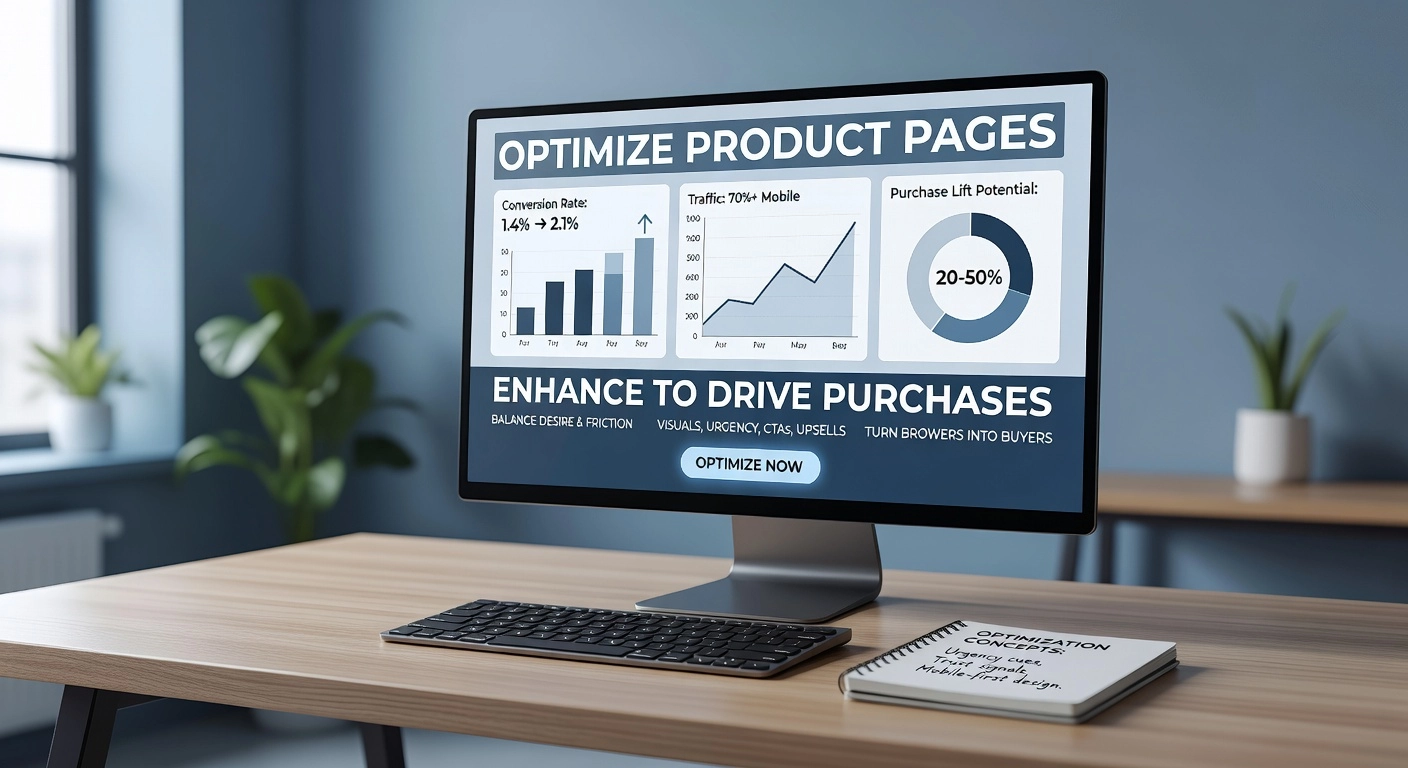
Your product pages are the heart of conversions, where visitors decide to buy or bounce. With 70%+ of Shopify traffic mobile and average store CR at 1.4-2%, optimizing these pages can deliver 20-50% lifts by balancing desire and friction. Focus on visuals, urgency, CTAs, and upsells to turn browsers into buyers. Follow these steps to enhance product pages and increase Shopify store conversions.
1. Upgrade Visuals with High-Res Zoom Images, 360° Views, and Benefit-Led Copy
Start by uploading 5-12 high-resolution images per product, including front, back, lifestyle shots, and scale references. Enable pinch-to-zoom and lazy-loading to keep load times under 2 seconds, as 1-second delays drop CR by 7%. Add 360° or AR views for fashion and electronics; these boost conversions 22% and add-to-cart rates 35%. Compress files via Shopify’s tools or apps for mobile speed.
Shift copy from features to benefits: craft headlines like “Stay cool all day in breathable, moisture-wicking fabric” pulled from 5-star reviews, which can lift add-to-cart by 20-30%. Use scannable bullets addressing pain points, such as fit or durability. Test this setup; expect 15-25% engagement gains. See benchmarks at Shopify conversion rate product page guide.
2. Add Urgency with Timers, Stock Counters, and Sizing Charts
Install authentic scarcity elements: dynamic stock counters (“Only 3 left!”) and personalized urgency timers for non-logged-in visitors. Pair with free shipping thresholds to nudge higher AOV without fake discounts. For sizing, create above-the-fold charts with model stats, fit notes, and UGC filters; this cuts returns 30% and lifts CR 15-25%, vital for fashion’s 76% abandonment.
Prerequisites: accurate inventory sync via Shopify apps. Mobile-optimize charts for swipe access. Outcomes: 10-20% faster purchases.
3. Implement Sticky Add-to-Cart and Variant Swipers
Add a sticky add-to-cart bar that appears on scroll, showing price, quantity, and variants at 56px+ height for mobile thumbs. Use swipers for color/size selection or modals for complex options; this delivers 8-15% CR lifts and 12% higher mobile add-to-carts. Sync selectors dynamically to mirror choices.
4. Boost AOV with Cross-Sells, Bundles, and Video Embeds
Place “Frequently bought together” bundles post-add-to-cart using apps like Zoorix; these raise AOV 20-30%, with some hitting +25%. Embed 15-60 second videos (demos, UGC) with tap-to-play thumbnails for 80% CR lifts and 88% more dwell time.
5. Refine with SEO-Optimized Bullets and A/B Headlines
Write keyword-rich benefit bullets matching search intent, structured for schema markup. A/B test headlines (e.g., benefit vs. urgency) for 15-25% lifts; run 100+ conversions per variant via apps like FigPii. Check fashion CRO strategies for examples.
Implement via heatmaps and GA4; track for 20-50% PDP gains, feeding into higher store-wide CR.
Implement Personalization and AI Tools
Personalization and AI tools represent a powerhouse for increasing Shopify store conversions, especially as a 2026 trend where AI recommendations can more than double conversion rates compared to static experiences. Top-performing Shopify stores already achieve 4.7% CR through these tactics, leveraging first-party data for real-time relevance. For intermediate store owners, implementation involves selecting privacy-compliant apps and setting up automated flows that target behavior, boosting average order value (AOV) and customer lifetime value (CLV). Expect 15-30% lifts in CR and up to 40% revenue growth with consistent testing.
Step 1: Deploy AI Product Recommendations with Apps like Nosto or Judge.me
Start by auditing your product pages for personalization gaps, then install Nosto or Judge.me from the Shopify App Store (prerequisites: Shopify Plus or basic plan; materials: browsing history data). Configure dynamic recommendations based on purchase patterns and views, such as “frequently bought together” or “trending for you.” Nosto case studies show Do it Center gaining 85% higher CR and 74% AOV uplift, while JOTT doubled conversions. Test placements on homepages and carts; aim for 13% of sales from recs. Expected outcome: 2x CR lift within weeks, per Thunderbit stats.
Step 2: Set Up Dynamic Pop-ups and Abandoned Cart Emails
With 70% cart abandonment rates, create exit-intent pop-ups using apps like Privy or Justuno (prerequisites: email list; materials: Klaviyo integration). Design behavior-triggered pop-ups offering 10-15% discounts for cart viewers, capping frequency to prevent fatigue; fullscreen versions boost sign-ups 20%. Automate abandoned cart sequences: first email at 1 hour (45% open rate), SMS follow-up recovering 10-15%. Klaviyo delivers $5.81 revenue per email, yielding 4400% ROI. Track recovery rates; refine with A/B tests. Outcome: 20-33% cart recovery, slashing lost revenue.
Step 3: Launch Segmented Loyalty Programs
Segment customers by spend and behavior using Rivo or LoyaltyLion (prerequisites: 1,000+ orders; materials: customer data export). Build tiered programs: bronze for new buyers, VIP for high-CLV with exclusive perks like free shipping. OSEA Malibu hit 77% repeat rates this way. Send personalized emails rewarding progression; loyalty members generate 40% revenue. Expected: 48% CLV increase, 25-95% profit gains from 5% retention lift.
Step 4: Add Post-Purchase Upsells
Post-checkout, enable one-click upsells via Step Labs or Upsurge-AI (prerequisites: thank-you page access). Offer complementary items under 25% of order value, like bundles. Batch saw 69% revenue surge ($2M+ added) without checkout tweaks. Personalize with AI videos for 4x conversions. Outcome: 9-20% AOV boost, no CR risk.
Step 5: Ensure Privacy-Compliant Personalization
Shift to first-party data and consent tools like Consentmo amid 2026 cookie phase-out (prerequisites: GDPR/CCPA audit). Use server-side tracking in Nosto for behavioral recs; 90% shoppers expect tailoring, driving 10-15% sales lifts. Transparent opt-ins build trust, sustaining CLV. Monitor with Shopify analytics; iterate quarterly. This cookieless approach yields 30%+ CR gains long-term.
A/B Test and Retarget for Quick Wins
Leverage A/B Testing for Immediate 30% Conversion Lifts
A/B testing stands as a proven powerhouse to increase Shopify store conversions, delivering average lifts of 30% or more when executed methodically. Top Shopify merchants achieve win rates of 60-70% by focusing on incremental changes rather than overhauls, with full testing programs generating 223% ROI. Prerequisites include access to your Shopify analytics for identifying high-dropoff pages and at least 100 weekly conversions per variant for statistical significance (95% confidence). Essential tools integrate seamlessly: VWO offers visual editors, heatmaps, and multivariate testing for comprehensive CRO; Optimizely provides Bayesian statistics and personalization for enterprise-scale precision. Start by auditing your funnel to pinpoint “metrics on fire,” such as landing page views dropping from a 50-70% benchmark. Hypothesize one change, like refining a headline, launch the test for 1-2 weeks, and analyze results to implement winners.
Prioritize High-Traffic Pages: Test Headlines, CTAs, and Layouts
Focus testing on product detail pages (PDPs), bestsellers, cart, and checkout, where 70% cart abandonment often stems from trust gaps or unclear messaging. Test headlines for specificity, such as swapping “Shop Now” for “Delivered Monthly – Cancel Anytime” to address review-confirmed confusion, yielding 0.3-0.8% lifts. Experiment with CTAs by varying text (“Try Risk-Free”), placement, or color on high-intent buttons, but avoid low-impact tweaks first. Layout tests should tackle above-the-fold hierarchy, image sequencing (lifestyle first), and bloat reduction, as pages with 400-6,000 elements can slash conversions by 95%. Segment by device or traffic source, expecting +25% gains on desktop versus mobile adjustments. Expected outcome: 12-15% win rate per test cycle with solid research.
Unlock Insights with Hotjar Heatmaps
Before testing, deploy Hotjar for no-code heatmaps, scroll maps, and session recordings to visualize friction points like ignored sections or rage clicks. This enriches hypotheses, revealing mobile thumb-zone issues contributing to 40-50% CVR gaps. Pair pre- and post-test analysis to validate layout shifts, as seen in cases boosting CVR by 40% (Taskworld) or sales by 30% (Wyldsson).
Retarget Abandoners via Klaviyo SMS, Email, and Dynamic Ads
Retargeting recaptures 70% of abandoners at 2-5x lower cost than cold traffic, with email/SMS ROI reaching 4400%. Install Klaviyo, Shopify’s leading app, to automate flows: abandoned cart sequences (3-touch with dynamic product images), win-backs, and upsells. A/B test subject lines and timing (evenings outperform mornings), syncing Shopify pixels for behavior triggers. Layer dynamic ads on Google or Meta showing browsed items in carousels. Segment by demographics or actions for precision.
Scale Winners and Monitor ROAS
Roll out victors site-wide using Shopify’s native Rollouts (10-25% traffic splits). Track ROAS via Shopify Analytics (CVR, AOV) and GA4 for multichannel attribution, targeting 5-7:1. Document learnings quarterly.
Quick Wins Roadmap:
- Week 1: Audit funnels with Hotjar.
- Weeks 2-3: Run 3 A/B tests on PDPs/cart.
- Week 4: Launch Klaviyo flows and ads.
- Ongoing: Scale and weekly ROAS checks.
This approach elevates 1-2% stores to 3%+ performers rapidly.
Integrate CRO with High-Intent Google Ads
To increase Shopify store conversions, integrate your Conversion Rate Optimization (CRO) efforts with high-intent Google Ads campaigns. This synergy delivers qualified traffic that converts at higher rates, compounding the gains from site speed, mobile optimization, streamlined checkout, trust signals, product page enhancements, personalization, and A/B testing covered earlier. High-intent ads reduce waste and amplify on-site CRO, potentially lifting overall conversion rates (CR) from the Shopify average of 1.4-1.8% to top-quartile levels above 3.2%. Prerequisites include Google Ads account access, Shopify Google Merchant Center setup, and basic analytics tracking for sessions, add-to-carts, and purchases. Materials needed: Google Analytics 4 integration, Shopify apps for dynamic feeds, and A/B testing tools like Google Optimize. Expected outcome: 2-3x ROAS improvement with 20-50% CR uplift within 60-90 days.
Step 1: Link Ad Efficiency to CR by Cutting 30-40% Waste with Targeted Traffic
Start with a structural audit of your Google Ads to eliminate inefficiencies like broad match bleed, keyword overlaps, and poor negative lists, which waste 30-40% of spend even in “profitable” Shopify campaigns. Use Happy Oak’s SpendSaver service for a targeted overhaul: it conducts a 6-week audit, extracts waste through custom negatives and bid adjustments, and rebuilds campaigns around high-intent traffic sources. Actionable steps: Export Shopify product data to Merchant Center, prioritize add-to-cart as a micro-conversion, and set ROAS bids at 4x+ for buyer-ready queries. For a $20K monthly budget, expect $6K in immediate savings, freeing funds for CRO scaling. Track via blended metrics: pair ad ROAS with post-click CR to ensure traffic quality. This step alone boosts baseline CR by delivering warmer visitors ready for your optimized funnels.
Step 2: Deploy High-Intent Keywords and Dynamic Remarketing
Target keywords signaling purchase intent, such as “buy [product] online free shipping” or “[product] bundle deal,” to elevate CR 1.5-2x over awareness terms. Optimize Shopify feeds by front-loading these in titles and descriptions, then enable dynamic remarketing to retarget cart abandoners with viewed product ads. Steps: Sync Merchant Center daily, create remarketing audiences for 7/30/90-day windows, and A/B test ad copy matching landing page headlines. Add urgency CTAs like “Limited Stock” on product pages to close the loop. Results show 4-5.5% CR from paid search when aligned with CRO trust elements like reviews.
Step 3: Prioritize Traffic Sources for Maximum CR
Analyze sources in Shopify Analytics: email drives 5-8% CR, outpacing paid search at 4-5.5%. Steps: Segment funnels by channel, allocate 40% budget to high-CR email retargeting over cold social ads (0.9-1.5% CR), and refine paid search with exit-intent popups. Use heatmaps to fix low-performers.
Step 4: Replicate Proven Case Studies
In an anonymized Shopify store (premium outdoor meals), combining Google Ads revamp with CRO audits tripled CR: mobile UX fixes, PDP bundles, and UGC dropped abandonment 45%, scaling sales 4.5x. Audit your setup similarly for quick wins.
Step 5: Consult Experts for Shopify-Google Synergy
Engage specialists like Happy Oak for SpendSaver audits to achieve seamless integration. Monitor MoM CR lifts, scaling what works for sustained profitability. This closes the loop on increasing Shopify store conversions holistically.
Actionable Takeaways to Maximize Profits
Prioritize These Three High-Impact Wins First
To increase Shopify store conversions immediately, focus on site speed under 3 seconds, one-page checkout, and robust reviews. Slow loads cause 40%+ abandonments, so compress images, enable lazy loading, and use apps like Booster to hit Core Web Vitals; expect 20-30% CR uplift. Switch to one-page checkout now, ahead of Shopify’s 2026 mandate, slashing 70% cart abandonment by minimizing steps and offering guest options with Shop Pay for +50% lifts. Integrate review apps displaying 1-100 verified testimonials, as 98% of buyers read them, delivering up to 160% conversion boosts; feature UGC badges on product pages for added trust.
Conduct Monthly Audits for Sustained Growth
Audit conversion rates by traffic source monthly using Shopify Analytics or Google Analytics. Track mobile (1.2% CR) versus desktop (1.9%), paid ads, email (4400% ROI potential), and organic; benchmark against 1.4-1.8% averages, targeting 3%+ for profitability like top 20% stores at 3.2%. Identify drops, such as fashion’s 76% abandonment, and adjust; set alerts for <46% mobile checkout completion. This data-driven ritual ensures you scale to top 10% benchmarks of 4.7%.
Stack Strategies and Invest Wisely
Combine mobile optimization with personalization for 50%+ combined uplifts: AI recommendations double CR while fixing mobile pain points. Allocate under 1% of revenue to apps like abandoned cart recovery or loyalty programs, then A/B test relentlessly for 30% gains. Test CTAs, urgency timers, and dynamic pricing weekly.
Partner for Expert Ads and CRO Scaling
For exponential profits, partner with specialists like Happy Oak Ecommerce. They optimize Google Ads to cut 30-40% waste, attract high-intent traffic, and integrate CRO for top-tier results. Contact Happy Oak today for a tailored audit to reduce structural spending and propel your Shopify brand.
Conclusion
You’ve armed yourself with proven strategies to skyrocket your Shopify conversions. Key takeaways include precision audience targeting to attract high-intent buyers, high-impact upsell funnels that maximize average order value, data-driven A/B testing frameworks for continuous optimization, and a customized action plan to track real results. These tactics bridge the gap from mediocre 2-3% rates to elite 5-10% performance, all without a full store overhaul.
The value is clear: more revenue from your existing traffic. Now take action. Select one strategy, implement it this week, and monitor your metrics closely. Your store’s potential is unlocked. Start today, and watch conversions climb as your business thrives. The elite performers began with a single step; make yours now.